That lamp you always forget to turn off, the coffee maker you wish started before you got out of bed, the fan that only needs to run for an hour at night – this is exactly where smart plugs earn their keep. For anyone looking at smart plugs for beginners, the appeal is simple: they add automation to the devices you already own without asking you to replace half your house.
A smart plug is one of the easiest ways to test whether a smart home setup will actually make your life better or just add another app to manage. Done right, it saves small pockets of time, cuts down on wasted energy, and gives you a little more control over everyday routines. Done poorly, it becomes a flaky gadget that disconnects when you need it most. That gap is why choosing the right one matters.
What smart plugs actually do
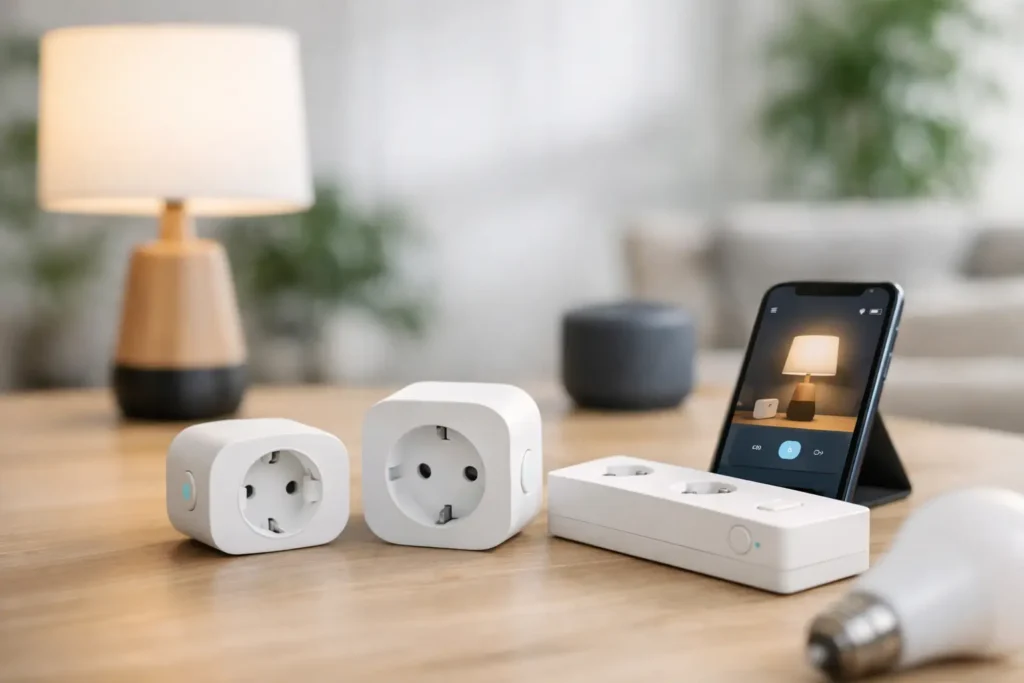
A smart plug sits between your wall outlet and a device, letting you control power from an app, voice assistant, schedule, or timer. In plain terms, it turns regular electronics into connected ones. Plug in a table lamp, space heater with caution and only if the plug is rated for it, holiday lights, a wax warmer, or a fan, and you can set when it turns on and off.
That sounds basic, but basic is the point. You are not rewiring anything. You are not replacing appliances. You are adding control to items that already fit your routine.
For beginners, the best use cases are usually the least complicated ones. Lamps, string lights, coffee stations, and small fans tend to be low-stress starting points. They make the benefit obvious right away, and they are less likely to expose setup limitations than more demanding devices.
Why smart plugs for beginners make sense
Smart home gear can get expensive fast. A smart thermostat, video doorbell, and full lighting system can be great upgrades, but they also ask for more money and more commitment. Smart plugs are different. They are relatively affordable, easy to move from room to room, and useful even if you never buy another smart device.
They also help you learn what kind of automation you actually want. Some people think they want a fully connected home, then realize all they really need is a bedroom lamp that turns on at 6:30 a.m. and a living room lamp that shuts off at midnight. A smart plug gives you that without overbuilding your setup.
From a shopping perspective, they are one of the safer first buys in smart home tech because the risk is lower. If you pick a good one, you will probably use it daily. If you buy a feature-heavy model you do not need, the loss is usually manageable.
The features that matter most
Not every smart plug deserves your attention. The core job is simple, so reliability matters more than a long list of extras. If a plug misses schedules, drops off Wi-Fi, or takes too long to respond, it will feel annoying fast.
App stability and setup
A beginner-friendly smart plug should be easy to connect and easy to manage after setup. Look for a plug with a clean app, clear instructions, and a setup process that does not require advanced networking knowledge. If reviews consistently mention connection issues, believe them.
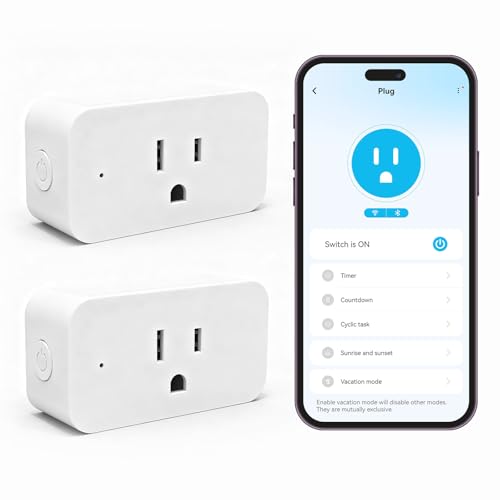
The app is what you will interact with most, so this matters more than flashy packaging. A good app should let you create schedules, rename devices, group plugs by room, and check whether something is on or off without making you guess.
Voice assistant compatibility
If you already use Alexa, Google Home, or Siri, make sure the plug supports the platform you have. This sounds obvious, but it is one of the most common beginner mistakes. A smart plug that works beautifully with one ecosystem can be a headache in another.
If you do not use voice assistants, this may not matter much. Schedules and app control are enough for many households. Voice support is convenient, not essential.
Size and outlet design
Some smart plugs are bulky enough to block the second socket on a standard wall outlet. Others are designed to keep both outlets usable. If you are plugging one into a crowded kitchen or living room area, this detail matters more than you might expect.
Compact designs are usually worth paying a little more for. They are easier to live with and more flexible around furniture and power strips.
Energy monitoring
Some smart plugs track how much electricity a device uses. This can be genuinely useful if you want to monitor a dehumidifier, window AC unit, or entertainment setup. It can also be unnecessary if your goal is just turning a lamp on at sunset.
This is a classic it-depends feature. If you are trying to reduce energy waste, energy monitoring adds value. If you want a simple automation tool, it is a nice extra, not a must-have.
What to avoid
A smart plug can only control power, so it works best with devices that stay in the on position when power is restored. A lamp with a physical switch left on is perfect. A coffee maker that requires you to press a button every morning is less ideal unless it supports auto-start when power returns.
You also need to pay attention to load ratings. Not every smart plug is suitable for high-draw appliances. Space heaters, air conditioners, and large kitchen appliances can exceed what a standard indoor plug is designed to handle. This is not the place to guess. If the plug is not clearly rated for the device, skip it.
Outdoor use is another common mistake. Indoor smart plugs are not built for weather exposure. If you want to control patio lights or seasonal decorations, use a plug specifically rated for outdoor use.
Wi-Fi, hubs, and other setup questions
Most beginner-friendly smart plugs connect directly to your home Wi-Fi. That is usually the easiest route because there is no separate hub to buy. For many shoppers, Wi-Fi plugs are the best starting point because they keep costs lower and setup simpler.
Some smart plugs use protocols like Zigbee, Z-Wave, or Matter and may work best with a compatible hub or smart home controller. These can be excellent options, especially if you plan to build a more advanced setup over time. They may offer stronger reliability or better device coordination. But for a true beginner, a straightforward Wi-Fi plug is often the least frustrating choice.
If your router struggles in certain rooms, though, even a good Wi-Fi plug can act up. That does not always mean the product is bad. Sometimes the issue is weak signal coverage. If your plug keeps disconnecting in the garage or back bedroom, check your network before replacing the device.
The best first uses in a real home
The smartest way to start is with one or two plugs in places where a missed schedule will not ruin your day. A living room lamp is ideal. So is a bedside lamp, a fan, or holiday lighting. These uses make the benefit visible right away and help you build confidence with the app.
Coffee makers can be great, but only if the model is compatible with power-on automation. Fans are useful if you like sleeping in a cool room but do not want one running all night. Lamps remain the easiest win because they are simple, safe, and instantly make a home feel more organized.
If you are buying for convenience, focus on comfort routines. If you are buying for energy savings, use smart plugs on items that are frequently left on by accident. The right choice depends on what annoys you most now.
How to choose the right smart plug for your home
The best smart plugs for beginners are not necessarily the cheapest or the ones with the longest feature list. They are the ones that match your setup and solve a specific problem. Start by asking three practical questions: which voice system do you use, what device are you plugging in, and do you care about energy tracking?
If you want the easiest path, choose a compact Wi-Fi smart plug from a brand with a good track record for app reliability. If you already have a broader smart home platform, choose one that fits that system cleanly. If you are shopping for outdoor lights, buy an outdoor model and do not try to make an indoor plug work.
This is also one category where reading user feedback matters. Not the hype, but the patterns. If dozens of buyers mention random disconnects, delayed response times, or confusing setup, that is useful signal. At PO-Store, that practical filter is what makes shopping faster and a lot less frustrating.
A smart plug should feel boring in the best way. You set it up, it works, and your daily routine gets a little easier. For a first smart home purchase, that is a very good place to start.


 $24.99Buy on AmazonPros:
 $17.99Buy on AmazonPros: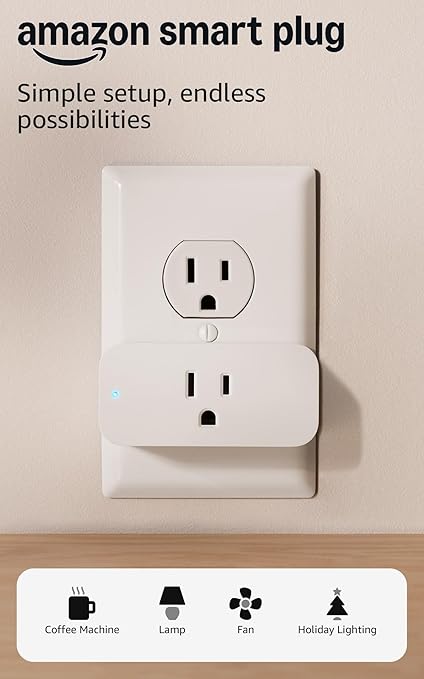


Pingback: Best Portable Monitor for Remote Work | PO‑Store
Pingback: Modern Dating Strategies: From Swipe to Lasting Love | PO‑Store