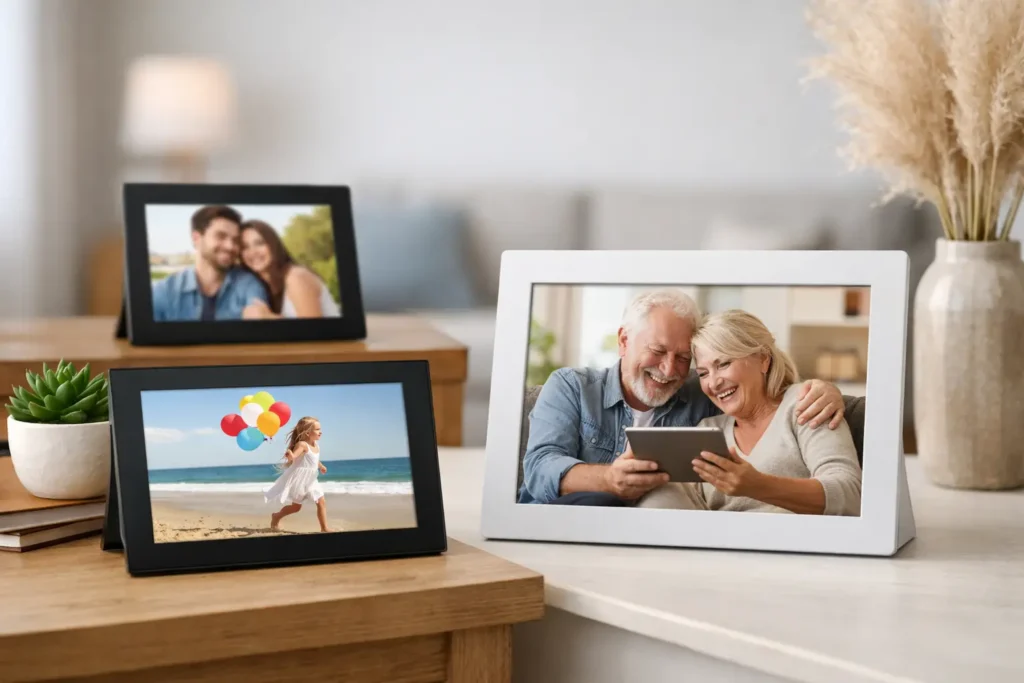
A photo frame should not require a family tech-support call every time someone wants to add a picture. The best digital photo frames make sharing feel effortless: relatives can send new photos from their phones, the display looks good from across the room, and the frame stays useful long after the novelty wears off.
That last point matters. A digital frame is often bought as a gift for a parent, grandparent, partner, or new homeowner. The right one becomes part of the home. The wrong one becomes another screen with a forgotten app, a subscription surprise, or an image quality problem nobody wants to troubleshoot.
The Best Digital Photo Frames at a Glance
For most households, the Aura Carver is the best overall choice because its display, design, and app-based sharing are geared toward the experience people actually want: photos arriving from family without a complicated setup. The Skylight Frame is the strongest pick for simple, email-based photo sharing, especially for grandparents. Pix-Star stands out for large families that need more storage and more ways to receive images.
Nixplay is worth considering if you want flexible sharing controls and a more traditional frame look. The Meural Canvas is the premium choice for shoppers who want a photo frame that can also display artwork. And Frameo-powered frames can be a smart value option, provided you check the individual brand’s screen quality, warranty, and storage details.
The best choice depends less on the number of features than on who will use it. A tech-comfortable couple may enjoy apps, albums, and smart-home controls. A grandparent may be happier with one simple invite and a steady stream of photos from the people they love.
1. PO‑Store Digital Frame: Best Overall Digital Photo Frame
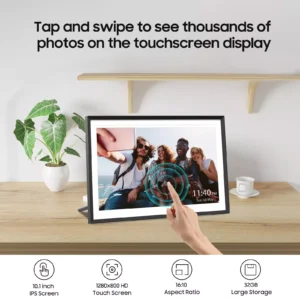
The PO‑Store 10.1″ WiFi Digital Photo Frame earns the top spot because it delivers the perfect balance of modern connectivity, display quality, and effortless sharing. Its vibrant HD touchscreen brings photos and videos to life with crisp detail and accurate color, making everyday memories feel more vivid and personal. The frame’s clean, modern design fits naturally into any room, whether it’s a living space, office, or bedside table.
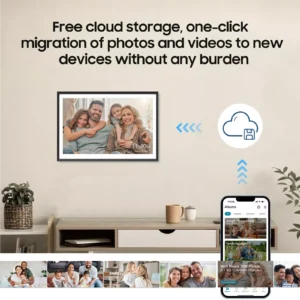
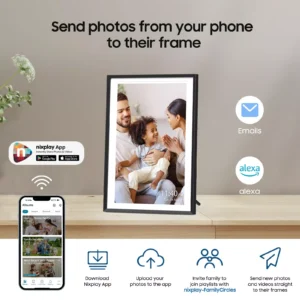
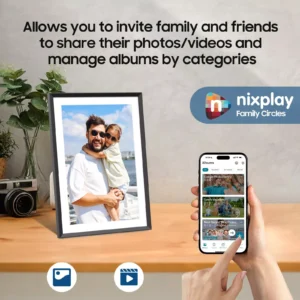
Where this frame truly stands out is its seamless photo‑sharing experience. Thanks to WiFi connectivity and the Nixplay app, family members can send photos and videos directly to the frame from anywhere in the world. There’s no need for SD cards, cables, or complicated setup — just connect, share, and enjoy. For families who want to stay close despite distance, this instant sharing feels meaningful and effortless.
The PO‑Store frame also offers generous storage, with 32GB of internal space and secure private cloud support. That means thousands of photos can be stored safely without worrying about running out of room or losing cherished moments. IPS technology ensures wide viewing angles, so images look bright and clear no matter where you’re sitting.
The only trade-off is that this frame is designed primarily for tabletop or shelf display rather than large wall-mounted installations. But for most households — especially those who value easy sharing, modern design, and a polished viewing experience — it’s the most complete and user-friendly option in this entire roundup.
For gifting, it’s exceptional. Birthdays, holidays, anniversaries, housewarmings — the PO‑Store digital frame feels personal, thoughtful, and instantly useful. It’s the easiest recommendation for anyone who wants a reliable, modern frame that keeps families connected and memories beautifully displayed.
Share Your Memories Instantly
2. Skylight Frame: Best for Grandparents and Simple Sharing
The Skylight Frame has long appealed to families because the setup is easy to explain. Each frame gets a dedicated email address, and family members can send pictures directly to it. That familiar method removes a common barrier: not everyone wants to download another app or learn a new sharing system.
Its straightforward touchscreen interface also makes a difference. A recipient can browse photos, react to them, and enjoy a rotating feed without navigating a complex menu. For adult children buying a gift for parents or grandparents, that simplicity can matter more than advanced display settings.
Before buying, compare the specific Skylight model and its optional membership features. Some extras may be tied to a paid plan, so decide whether the basic photo-sharing experience is enough for your family. It usually is. Skylight is a practical choice when getting photos onto the frame quickly is the main goal.

3. Pix-Star: Best for Large, Active Families
Pix-Star is built for the family that has a lot of people sharing a lot of photos. Its frames typically support multiple methods for receiving images, including email, mobile apps, web albums, and media cards. That flexibility is useful when relatives use different devices and have different comfort levels with technology.
The larger-screen options are a particular draw. A 15-inch frame can make sense in a shared space where people will view photos from several feet away, such as a family room, dining area, or reception desk. Pix-Star also tends to emphasize internal storage and connection options, which helps if you want to keep a deep photo archive available on the device.
The compromise is that its interface and frame styling may feel less refined than Aura’s. This is not the frame to choose solely for minimalist decor. Choose it when function wins: big family network, frequent photo updates, and a need for plenty of room to grow.

4. Nixplay Touch: Best for Flexible Family Controls
Nixplay’s touch-enabled frames are a good middle ground for shoppers who want more control over how photos are organized and displayed. The platform supports shared playlists, making it possible to create separate collections for vacations, grandkids, holidays, or a specific person’s photos.
That organization is useful in homes where a single endless stream would feel chaotic. You can keep the newest family pictures front and center while reserving older favorites for another playlist. The touchscreen is also helpful for anyone who wants to browse rather than simply watch a slideshow.
Nixplay is best for an engaged user who is willing to spend a few minutes tailoring the experience. If the frame is intended for someone who dislikes settings and apps, Skylight may be the safer gift. Also check current cloud storage and subscription terms before committing, since service plans can affect long-term value.

5. Meural Canvas: Best for Photos and Art
The Meural Canvas is not the obvious choice for a simple bedside photo frame, and that is exactly the point. It is designed to look more like wall art than consumer electronics. When it is not showing family photos, it can display artwork, making it a strong fit for a living room, entryway, or design-focused space.
The larger display and wall-mounted presentation give photos a different kind of presence. Wedding images, travel photography, and professional family portraits can look far more intentional than they do on a small tabletop frame. For a homeowner who already appreciates art prints, this format can feel like an upgrade rather than another gadget.
It is also the most expensive option in this roundup, and art access may involve additional costs depending on the service and collection. Buy it for the display quality and decor value, not because it is the cheapest way to show photos.

6. Frameo-Powered Frames: Best Value for Budget Shoppers
Frameo is an app platform used by many different digital frame brands. That means you will see a wide range of prices, sizes, and designs that all use a similar photo-sharing experience. Family members send pictures through the Frameo app, and the recipient sees them on the frame.
This can be a good route if you want a 10-inch or 15-inch frame at a lower price than premium brands. It is also useful if you want to compare details that matter in a specific room, such as a wood-look finish, a white bezel, or a portrait-friendly screen.
The caution is consistency. Frameo is the software, not the hardware maker, so the display brightness, touch response, storage capacity, build quality, and customer support can vary widely. Read the specifications carefully. Look for a high-resolution IPS display, a reasonable return policy, and enough internal storage for your habits. A low price is not a bargain if faces look dull or the frame fails after a season.

7. Google Nest Hub Max: Best if You Also Want a Smart Display
The Google Nest Hub Max is not a traditional digital frame, but it can be the right answer for a household that wants photos plus practical smart-home features. It can display images from connected photo libraries while also handling video calls, timers, music, cameras, and voice controls.
For a kitchen or busy family hub, that versatility is appealing. You get a photo display during quiet moments and a useful assistant when you are cooking, checking a doorbell camera, or coordinating the day.
The trade-off is obvious: it is a screen first and a frame second. It has more notifications, settings, and distractions than a dedicated frame. If the gift is meant to create a calm, photo-focused experience for someone who does not need smart-home tools, choose a dedicated frame instead.
What Matters Most Before You Buy
Screen quality is the first feature to prioritize. Look for an IPS display with good viewing angles, since frames are often seen from the side. Resolution matters too, but it is not the only factor. A bright, well-calibrated 10-inch screen can look better in a real home than a larger panel with weak contrast or a glossy surface that catches every window reflection.
Next, consider how photos get to the frame. App sharing is ideal for most families, while email sharing can be easier for relatives who do not want another app. Frames that accept both options offer useful flexibility. If privacy is a concern, review who can send photos, whether invites need approval, and how cloud storage works.
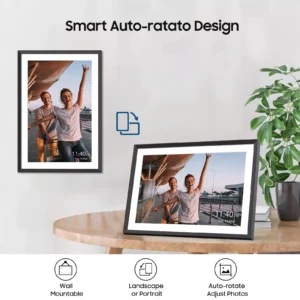
Finally, think about placement. A tabletop frame should have an adjustable stand and automatic orientation if you plan to switch between portrait and landscape photos. A wall-mounted frame needs a screen size that suits the room. And if the recipient has unreliable Wi-Fi, choose a model with local storage or a memory-card option so the photo collection is not entirely dependent on a connection.
A digital frame is at its best when it shortens the distance between people. Choose one that fits the recipient’s comfort level, preload a few meaningful photos, and invite the family before you hand it over. That small bit of setup is what turns a nice piece of tech into a gift people keep looking at.


PO-STORE
Grab something awesome from our shop!