

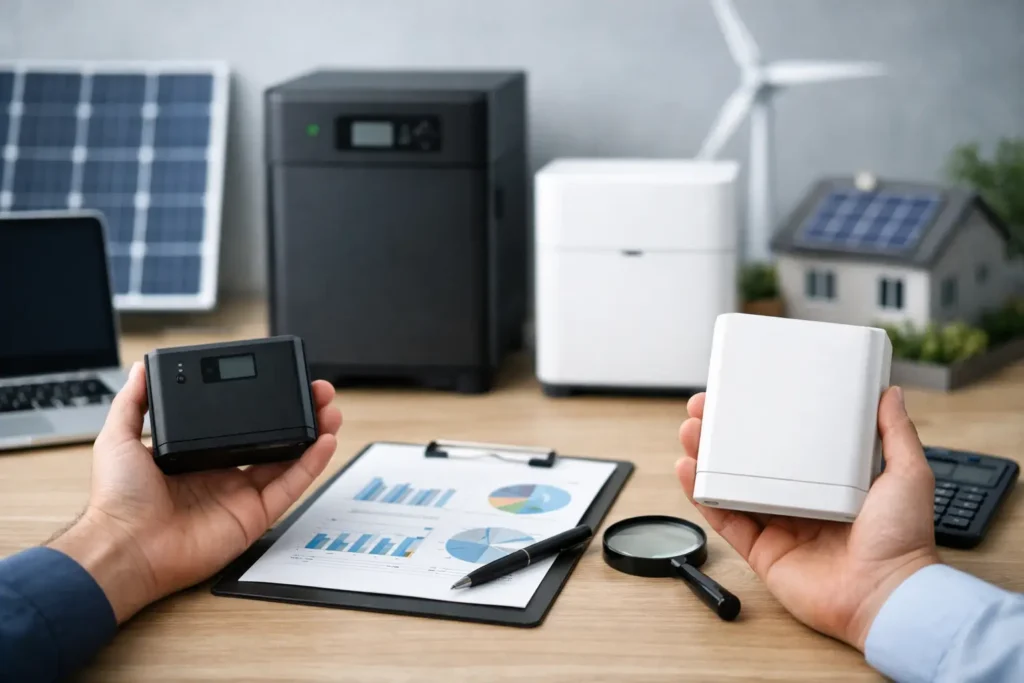
A battery backup that keeps a Wi-Fi router running through a two-hour outage is a very different purchase from one that can power a refrigerator, sump pump, and a few lights overnight. That is why learning how to compare battery backup systems starts with your real-life outage plan, not the biggest capacity number on the box.
For most households, the best system is not the most expensive one. It is the one that supports the devices you truly need, fits your space and comfort level, and will be ready when the power goes out. Here is how to sort through the specs without getting pulled in by marketing claims.
Start With the Job You Need the Backup to Do
Before comparing brands or prices, decide what you want to keep running. A battery backup may be meant to prevent a desktop computer from shutting down abruptly, maintain internet access during a brief outage, run essential appliances during a storm, or provide partial home backup for a day or more. Those are separate jobs with different equipment requirements.
A small uninterruptible power supply, usually called a UPS, is designed for electronics such as computers, modems, routers, gaming consoles, and network-attached storage. It switches to battery power quickly when utility power drops, protecting sensitive equipment from an abrupt shutdown. It is usually not the right answer for a refrigerator, space heater, or other large appliance.
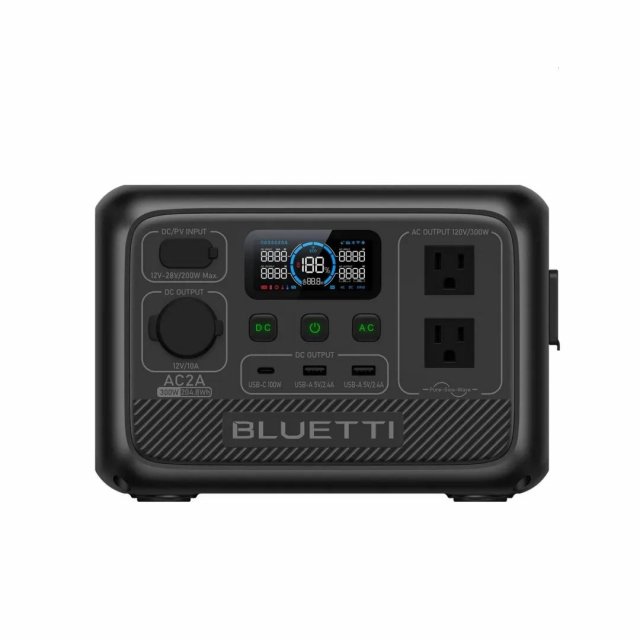
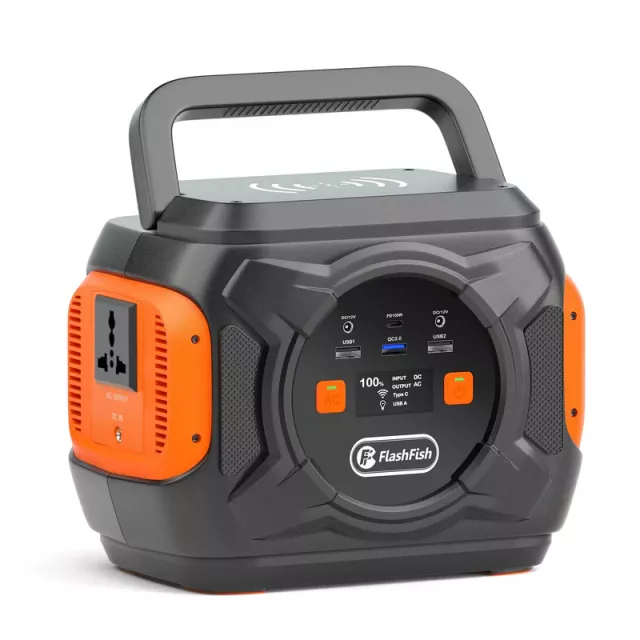
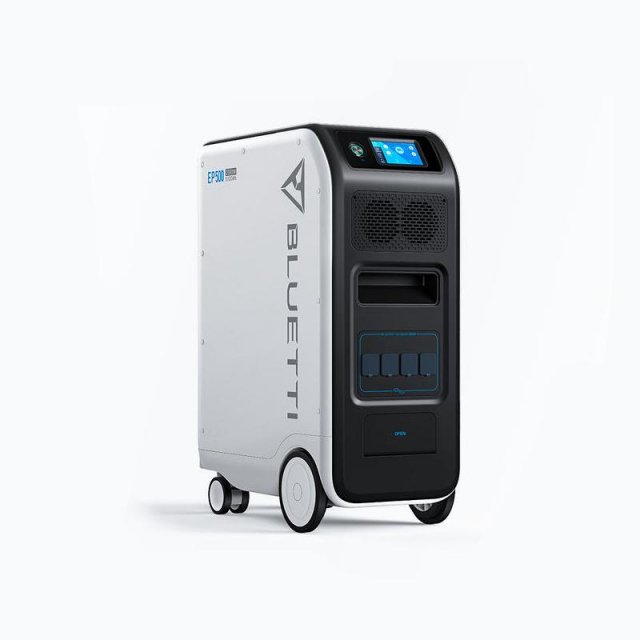
Portable power stations are larger rechargeable batteries with AC outlets, USB ports, and sometimes car-style outlets. They suit renters, apartment dwellers, campers, and homeowners who want flexible backup for a phone, laptop, CPAP machine, router, lamp, or selected kitchen and medical devices. Some can handle appliances, but only if their output and capacity are sufficient.
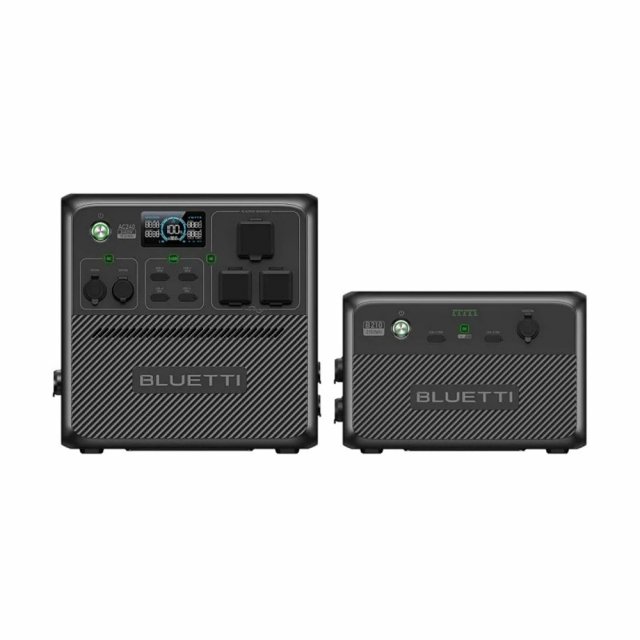
Whole-home battery systems are the more permanent option. They are typically installed with a transfer switch or smart electrical panel, and can power selected circuits or, in some cases, much of a home. They cost more and require planning, but they remove much of the extension-cord juggling during an outage.
How to Compare Battery Backup Systems by Power and Runtime
The two numbers shoppers most often confuse are watts and watt-hours. Both matter, but they answer different questions.
Watts, shown as W, measure the amount of power a device needs at a given moment. A 60-watt lamp needs 60 watts while it is on. A backup system must be able to deliver enough continuous wattage for every device you plan to run at the same time. If your combined load is 500 watts, a 300-watt power station will not do the job, even if it has a large battery.
Watt-hours, shown as Wh, measure stored energy. They help estimate how long the battery can run your gear. A 1,000Wh battery can theoretically run a 100W load for about 10 hours. In actual use, expect less because inverters, heat, charging losses, and the battery’s own management system use some energy.
A practical estimate is:
Estimated runtime = usable watt-hours ÷ total device watts
If you need to run a 70W router setup, a 10W LED lamp, and a 40W CPAP machine, your load is about 120W. A 1,000Wh power station may provide roughly seven to eight hours of usable runtime after normal losses. The exact result depends on the model and how the devices cycle on and off.
Do not forget startup surge. Refrigerators, freezers, pumps, and some power tools can draw a brief burst of electricity when their motors start. A backup may have enough continuous output for a refrigerator but still fail if its surge rating is too low. Check both the continuous output and peak or surge output before assuming an appliance is compatible.
Measure Your Essential Loads, Not Your Wish List
It is easy to add every convenient appliance to a backup plan and end up with a system that is too costly, too large, or too short-lived to be useful. Begin with essentials: communication, medical equipment, lighting, food preservation, climate safety, and water protection.
Look at each device’s label, power adapter, or manual for wattage. If a label lists volts and amps, multiply them for a rough watt estimate. A plug-in power meter can be even more useful because many appliances draw different amounts as they cycle. Refrigerators, for example, do not use their maximum power continuously.
For whole-home batteries, identify the circuits that matter most. A critical-load panel might include the refrigerator, kitchen outlets, internet equipment, garage door, sump pump, a few lights, and a furnace blower. Electric ranges, central air conditioning, electric water heaters, clothes dryers, and EV chargers can consume so much power that they require a significantly larger and more expensive system.
There is no shame in choosing partial backup. Keeping your home functional and safe is often more valuable than trying to replicate normal, all-electric living during an outage.
Check the Features That Matter During an Outage
Capacity is only one part of a dependable setup. The right features depend on what you are powering and how hands-on you want the experience to be.
For a UPS, pay attention to transfer time and waveform. Sensitive electronics benefit from pure sine wave output, which more closely resembles standard household electricity. A line-interactive UPS is a solid fit for many home offices and network setups, while an online UPS offers stronger protection and nearly instant switching for more demanding equipment. Also check whether it supports automatic shutdown software for a computer or server.
For portable power stations, look at the number and type of ports, AC output, pass-through charging, and recharge speed. Pass-through charging lets the unit power devices while it is being charged, though support varies by model. If outages can last more than a day, consider how you will recharge it: wall power, a vehicle outlet, or compatible solar panels.
For home batteries, ask what happens automatically. Some systems detect an outage and switch over without intervention; others may require manual steps. Confirm which circuits are covered, whether the system can start large loads, and whether solar panels can recharge the battery during an outage. Not every solar installation provides backup power when the grid is down.
Compare Battery Chemistry, Lifespan, and Warranty
Many current power stations and home batteries use lithium iron phosphate, often abbreviated as LiFePO4 or LFP. This chemistry is popular because it generally offers a long cycle life and strong thermal stability. It tends to be heavier for a given capacity than some alternatives, but that is usually a fair trade for home backup use.
Some compact units use other lithium-ion chemistries that can be lighter or more energy-dense. They can still be good products, especially when portability is the priority, but compare their stated cycle life and warranty terms. A lower upfront price is less appealing if the battery loses useful capacity sooner than expected.
Cycle counts are helpful, but read them carefully. A manufacturer may rate a battery for thousands of cycles until it reaches a stated remaining capacity, often 80%. That does not mean the battery stops working at that point. It does mean your runtime will gradually shrink over years of regular use.
Warranty length matters, but so do the conditions. Check whether the warranty covers the battery itself, inverter, labor, shipping, and capacity retention. For a permanent home battery, installer support can be just as valuable as the hardware warranty when something needs service.
Factor in Installation, Safety, and Everyday Usability
A compact UPS can sit under a desk, while a large power station may weigh 40 pounds or more. A whole-home battery may need wall space, required clearances, permits, and professional installation. Make sure the location stays within the manufacturer’s temperature guidance and is protected from moisture, direct heat, and physical damage.
For larger systems, do not treat installation as a DIY shortcut. Connecting a battery to household circuits without the proper transfer equipment can create dangerous backfeed risks for utility workers and damage equipment. A qualified installer can also verify electrical-panel capacity, local code requirements, and the best critical circuits to protect.
Usability matters after the purchase, too. Can you read the display in a dark room? Is the battery easy to move if needed? Does the app provide useful alerts or just another login? Can someone else in your household operate it without a manual? The best backup plan is one that works when you are tired, stressed, and dealing with a storm.
Compare the Real Cost of Preparedness
When comparing prices, include the items that turn a battery into a working solution. A portable station may need solar panels, appliance cords, or a dedicated storage spot. A home battery quote may include electrical work, permits, a transfer switch, or panel upgrades. Those costs are not optional extras if they are necessary for safe operation.
Then compare cost against usable capability. A less expensive unit with limited output may be excellent for phones and internet, while a higher-capacity model can be poor value if it is oversized for your needs and rarely used. Choose the system that protects your highest-priority routines first, then expand only if your outage experience shows you need more.
A thoughtful battery backup purchase is really a plan for keeping your household steady when normal routines are interrupted. Write down the few things you would miss first, calculate what they need, and let that list guide the system you bring home.





Pingback: Healthy Office Snacks List for Better Workdays | PO‑STORE
Pingback: Emergency Radio Guide for Real-World Readiness | PO‑STORE