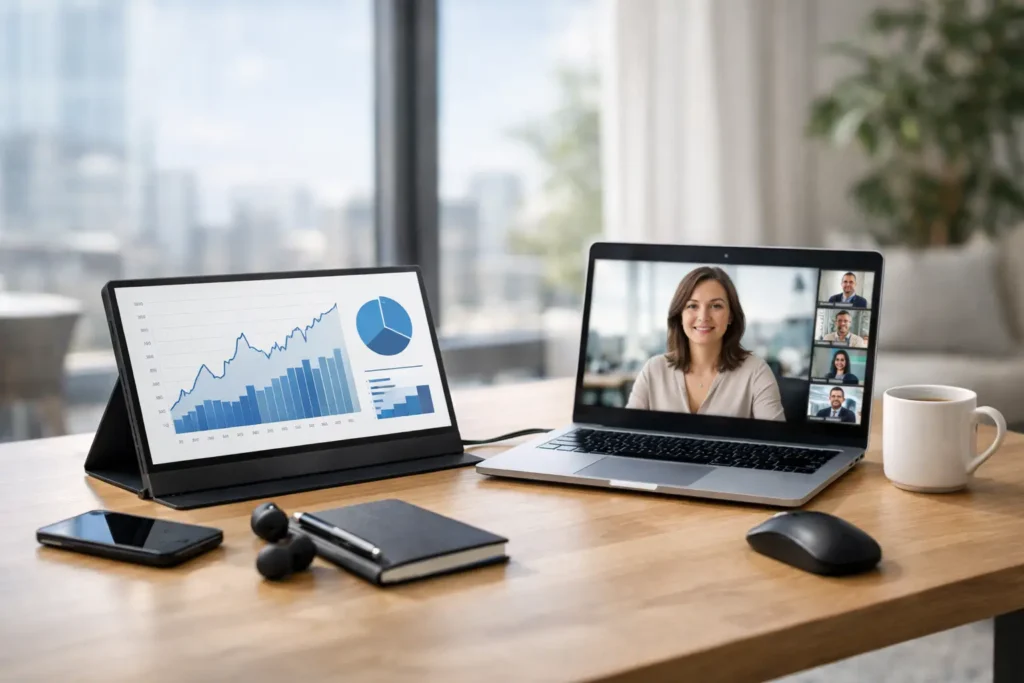
You notice it the first time you try to work a full day from a kitchen table, hotel desk, or coworking booth – one laptop screen is fine for checking email, but it starts to feel cramped the minute you need a spreadsheet, video call, and browser tabs open at once. A portable monitor for remote work can fix that problem fast, but only if you choose one that fits how and where you actually work.
That last part matters more than most product pages admit. Portable monitors can look nearly identical online, yet feel very different in daily use. Some are ideal for frequent travel. Others are better as a semi-permanent second screen you move around the house. And some sound convenient until you realize they are too dim, too flimsy, or too power-hungry for real workdays.
Why a portable monitor for remote work is worth it
The appeal is simple: more screen space without committing to a full desktop setup. If you split time between home, office, and travel, a portable display gives you a second screen that can move with you instead of locking you into one workspace.
For most people, the biggest benefit is not raw productivity in the abstract. It is mental breathing room. One screen can hold Zoom or Slack while the other keeps your actual work visible. You spend less time minimizing windows and less energy keeping track of what disappeared behind another app.
That said, not every remote worker needs one. If your work is mostly writing, messaging, and light admin tasks, a good laptop may already be enough. The value jumps if you work in spreadsheets, design tools, analytics dashboards, code editors, project management platforms, or any role where comparing documents side by side saves time.
What makes a good portable monitor for remote work?
The best models balance portability with comfort. That sounds obvious, but it is where many shoppers get stuck. Ultra-light models are easier to carry, yet they can come with weaker stands, smaller screens, or lower brightness. Larger models feel closer to a real office monitor, but they take up more bag space and can be awkward on small tables.
A good choice starts with realistic expectations. You are not buying a perfect replacement for a 27-inch desktop display. You are buying convenience, flexibility, and enough screen space to make remote work easier.
Screen size: 14 to 16 inches is the sweet spot
For most remote workers, 15.6 inches is the safest pick. It is large enough to handle side-by-side windows and still compact enough to travel without much fuss. A 14-inch screen can work if you care most about low weight and easy packing. A 17-inch portable monitor may sound tempting, but it starts to lose the portability that makes the category useful.
Think about your usual workspace too. If you regularly work from coffee shops or cramped shared tables, a giant portable screen can become more annoying than helpful.
Resolution: Full HD is usually enough
For everyday remote work, 1080p is still the practical standard. Text looks clear on most 15.6-inch portable screens, battery drain tends to stay lower, and pricing is more reasonable. A 2K or 4K panel can look sharper, especially for creative work, but the trade-off is usually higher cost and, at times, more power demand.
If your job centers on photo editing, detailed design, or precise visual work, a higher-resolution model may be worth paying for. For email, docs, browser-based apps, and calls, Full HD is usually the smart buy.
Brightness matters more than you think
This is one of the easiest specs to overlook and one of the fastest ways to regret a purchase. A dim portable monitor is frustrating indoors and nearly useless near windows or in bright hotel rooms. Many budget models cut corners here.
As a rule, more brightness gives you more flexibility. If you often work in changing environments, this is worth prioritizing over flashy extras. A portable monitor that looks fine in a dark bedroom but struggles in daylight is not much of a work upgrade.
Stand design can make or break daily use
A lot of portable monitors come with folio-style covers that fold into stands. Some are stable enough. Some wobble every time you type. If you plan to use your monitor every day, pay attention to how it stands up, how easily it adjusts, and whether it sits at a usable angle next to your laptop.
This is also where use case matters. If your monitor will mostly stay on one desk, a model with VESA support or a more rigid kickstand can be a better long-term choice. If you travel constantly, you may accept a simpler stand in exchange for a thinner build.
Connectivity: keep it simple if you can
The easiest setup is USB-C for both power and display through a single cable. When that works well, portable monitors feel genuinely convenient. Fewer cables, less clutter, faster setup.
But compatibility can get messy. Not every USB-C port on every laptop supports video output. Some monitors need extra power if your laptop cannot supply enough through one cable. Others include HDMI, which is useful for older devices or backup flexibility, but often means carrying an additional cable and sometimes a separate power source.
If you want the least hassle, look for a monitor that supports plug-and-play USB-C with laptops similar to yours. Convenience is one of the main reasons to buy in this category, so overly fussy connectivity defeats the point.
Features that are nice to have, not always necessary
Touch support, built-in speakers, blue light modes, auto-rotation, and even battery-equipped models all sound appealing. Sometimes they are useful. Sometimes they are just distractions from the basics.
Built-in speakers are rarely impressive enough to matter for work. Touch can be helpful in very specific workflows, but many remote workers will not use it often enough to justify the extra cost. A built-in battery sounds great for mobility, though it also adds weight and price.
If your budget is limited, put your money into panel quality, brightness, stable construction, and easy connectivity first. Those are the features you will notice every day.
Who should buy one and who should skip it
A portable monitor makes a lot of sense for hybrid workers, frequent travelers, digital nomads, consultants, sales teams, and anyone who regularly builds a temporary workspace. It is also a strong pick for people who work from different rooms at home and do not want to maintain multiple full desk setups.
It may be less useful if you almost always work from one location and have room for a standard monitor. In that case, a traditional desktop display will usually give you better ergonomics, more screen area, and better value for the money.
There is also a middle ground. Some people buy a portable monitor not for travel, but because they want something easier to store in a small apartment or easier to move between home and office. That is a valid use case, and often a smart one.
How to shop without getting lost in specs
Most shoppers do not need the absolute best model. They need the right fit. Start with three questions: how often will you carry it, how long will you use it at a time, and what kind of work will be on screen most often?
If you travel weekly, weight and case-friendly design matter a lot. If you use it for eight-hour home workdays, comfort, brightness, and stand quality should move higher on the list. If your work is mostly text and browser tabs, you can skip premium display features. If color accuracy matters to your job, that changes the equation.
This is where a recommendation-led approach helps. At PO-Store, the goal is not to push the flashiest option. It is to help you avoid the model that looks good in a listing but adds friction to your day.
Common mistakes to avoid
One common mistake is buying too cheap and ending up with a display that feels disposable. If the screen is dim, the stand is unstable, or the connection is unreliable, you will stop using it. Another is overbuying for features you will barely touch.
There is also the ergonomics issue. Portable monitors are convenient, but they are not automatically comfortable. Depending on your setup, you may still want a laptop stand, external keyboard, or simple sleeve with better support. Small changes like that can make a mobile workstation feel much more usable.
The smartest purchase is usually the one that reduces friction. A monitor that sets up fast, looks clear in normal lighting, and fits your bag and desk without drama will beat a feature-packed option that feels awkward every time you use it.
A portable monitor for remote work is not a magic fix for every workflow, but for the right person it can be the easiest upgrade you make all year. If your workdays keep stretching across too many tabs on one small screen, the best choice is usually not the most impressive one on paper. It is the one you will actually want to carry, open, and use every single day.


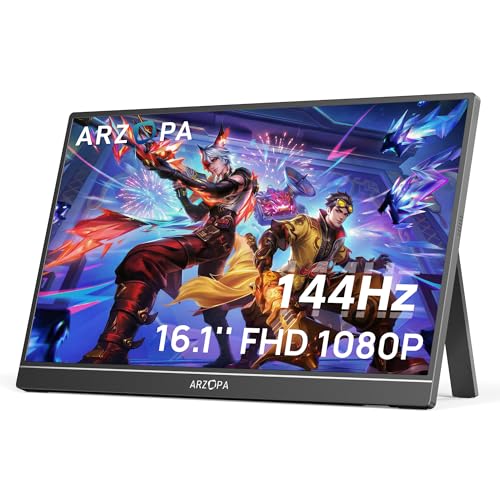 ARZOPA 16.1'' 144Hz Portable Gaming Monitor, 106% sRGB 1080P FHD Kickstand Portable Monitor with HDR, Ultra Slim, Eye Care, External Second Screen for Laptop, PC, PS5, Mac, Xbox-Z1FC
  ViewSonic VX1655-4K-OLED 15.6 Inch 4K Portable Monitor, OLED Display for Immersive Mobile Workspaces and Second Screen Productivity, Built-in Stand, 60W USB-C, and Mini HDMI Inputs
  InnoView Portable Monitor 15.6" 1080P for Laptop with Protective Sleeve, Built-in 90 Adjustable Stand USB C HDMI Ultra-Slim Portable Laptop Monitor for MacBook Phone PS Xbox Switch


Pingback: The Ultimate Guide to Modern Dating Strategies: From First Swipe to Lasting Love | PO‑Store