

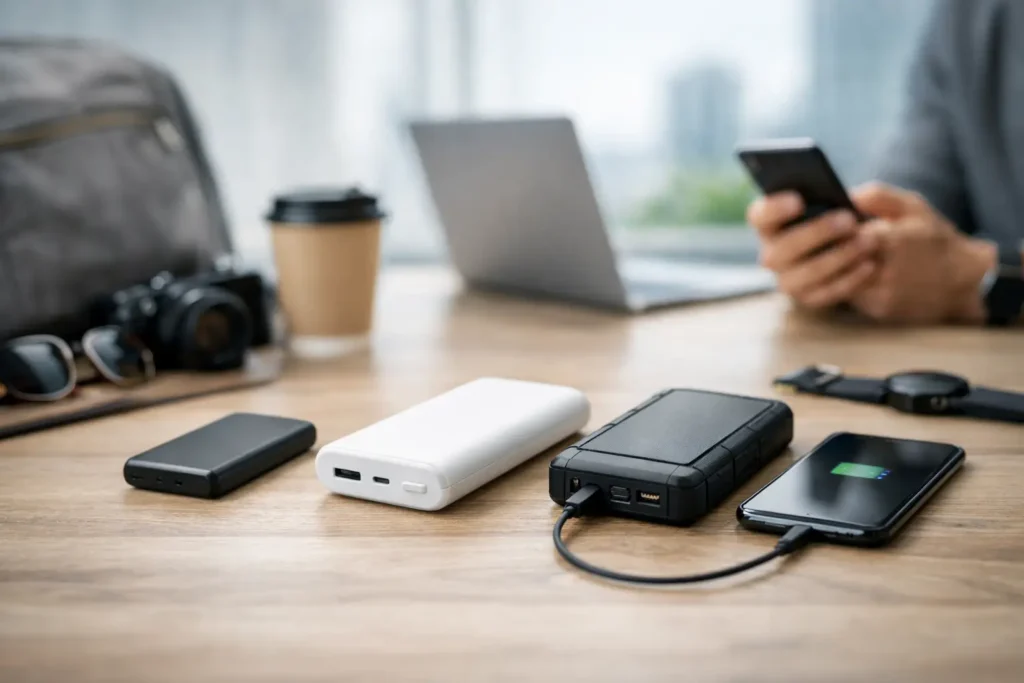
How to Pick a Power Bank: Complete Guide
A power bank can be the difference between getting through a delayed flight, a long workday, or a weekend away and hunting for the nearest wall outlet. But figuring out how to pick a power bank is not as simple as choosing the one with the biggest number on the box. Capacity, charging speed, portability, and the devices you carry all matter — and the best choice is usually the one that fits your actual routine.
Because of that, how to pick a power bank starts with understanding your own usage. A compact charger that reliably tops up your phone may be more useful than a heavy high‑capacity model that stays at home. Therefore, begin with what you need to charge, then work backward from there.
How to Pick a Power Bank by Capacity
Power bank capacity is measured in milliamp‑hours (mAh). This figure tells you how much energy the battery can store, although it does not translate perfectly into a certain number of full phone charges. Energy is lost during voltage conversion and charging, so a 10,000mAh power bank will not deliver a full 10,000mAh to your device.
As a practical rule, a quality 10,000mAh model typically provides roughly one and a half to two full charges for many current smartphones. Meanwhile, a 20,000mAh option may deliver around three to four charges, depending on your phone, cable, charging speed, and battery health.
For most people, 10,000mAh is the sensible everyday sweet spot. It is generally small enough for a purse, backpack, or jacket pocket while offering meaningful backup power for a phone. Choose 5,000mAh if you only want emergency power in the smallest possible package. Step up to 20,000mAh if you travel frequently, spend long days away from outlets, share power with a partner, or need to recharge more than one device.
However, larger capacities have a real trade‑off: weight. A 20,000mAh bank can be excellent in a carry‑on or work bag, but it is less convenient for a concert, a quick errand, or a day when you want to travel light.
Match capacity to the devices you own
A phone is one thing. A tablet, handheld gaming system, camera, earbuds, smartwatch, or laptop changes the equation. Small accessories use relatively little power, but a tablet can quickly drain a modest power bank. Laptops need both higher capacity and higher output, which means a basic phone charger may not be enough even if its mAh rating looks generous.
If your primary goal is to keep a phone alive until bedtime, do not overbuy. On the other hand, if you need one battery for a family travel day, a tablet, and multiple phones, capacity deserves more weight than pocketability.
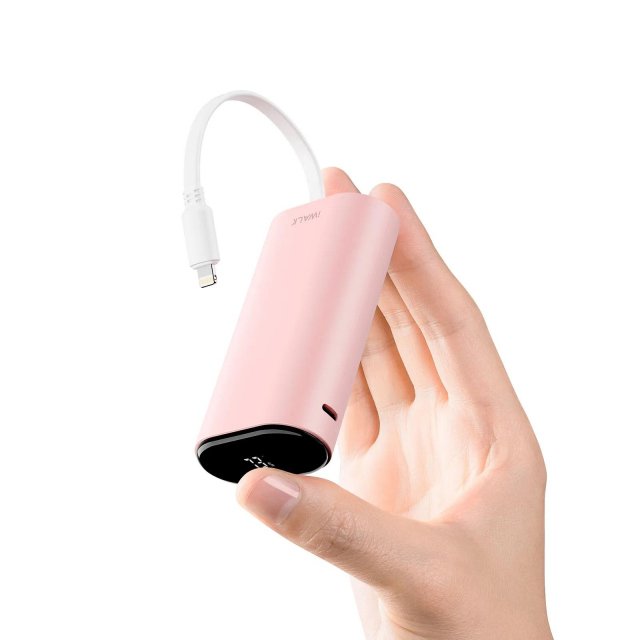
PO-Store Compact Portable Power Bank
Charging Speed Matters as Much as Battery Size
A high‑capacity power bank is frustrating if it charges your phone slowly. Look for the power output, usually listed in watts (W), and check whether the unit supports common fast‑charging standards such as USB Power Delivery (USB‑C PD) or Quick Charge.
For a modern smartphone, 18W to 20W output is a useful baseline for fast charging. It can make a noticeable difference when you have 20 minutes at an airport gate or between meetings. Some phones can accept more power, and a 30W model may offer extra flexibility for tablets and certain small laptops. However, your phone only draws the amount it is designed to accept. Buying a 65W power bank will not make a phone built for 20W charging fill up faster.
For laptops, check the manufacturer’s recommended USB‑C charging wattage before you buy. Many lightweight laptops work well with 45W or 65W USB‑C PD. Larger performance machines may require 100W or more, and some are not practical to charge from a typical power bank.
Additionally, consider input speed — how quickly the power bank itself recharges. A 20,000mAh battery can take many hours to refill with an older, low‑watt charger. A model with USB‑C PD input paired with an appropriate wall adapter is far more convenient, especially if you travel often.
How to Pick a Power Bank With the Right Ports
USB‑C has become the most useful port to prioritize. It can charge the power bank, charge modern phones and tablets, and deliver the higher wattage required by many laptops. A power bank with USB‑C input and output keeps your cable setup simpler and is a better bet for long‑term use.
A USB‑A port can still be helpful for older cables, accessories, and shared charging. Two or three ports are valuable for families or anyone who regularly charges a phone and earbuds at the same time. Still, more ports do not always mean more total power.
Read the fine print on shared output. Some models reduce charging speed significantly when two devices are connected. Others have a stated maximum output that is split across the ports. If you expect to charge multiple devices at once, choose a model that clearly lists its combined output and supports enough wattage for your needs.
Built‑In Cables: Convenience vs. Longevity
A built‑in USB‑C or Lightning cable can save you from carrying extras and can be a smart choice for commuting or occasional travel. The trade‑off is that cables eventually wear out. With a traditional power bank, you can replace a damaged cable for a few dollars. With an attached one, the entire charger may become less useful if that cable fails.
For everyday convenience, built‑in cables are appealing. For long‑term flexibility, removable cables usually win.
How to Pick a Power Bank for Daily Carry
Specifications can look nearly identical online, yet two power banks with the same capacity can feel very different in a bag. Check the dimensions and weight before buying, especially if you want to carry it daily.
A slim 10,000mAh model may slide beside a notebook or fit comfortably in a small crossbody bag. A thicker unit can be easier to grip and may include more ports, but it can also make a phone awkward to use while charging. If you regularly hold your phone and battery together, look for rounded edges, a grippy finish, and a cable placement that does not get in the way.
Magnetic wireless power banks are another convenient option for compatible phones. They are especially useful for short top‑ups while walking, navigating, or waiting in line. Wireless charging creates more heat and wastes more energy than a wired connection, though, so a magnetic battery is best treated as a convenience tool rather than the most efficient way to get several full charges.
Safety Features to Look For When Picking a Power Bank
A power bank stores a substantial amount of energy, so this is not the category to treat as a race to the lowest price. Choose established brands and look for clear safety information, a warranty, and protections against overcharging, overheating, overcurrent, and short circuits.
Avoid listings that make exaggerated claims, have unclear specifications, or offer unusually high capacity at a suspiciously low price. A power bank should state its capacity, ports, output ratings, and charging standards plainly. If those basics are difficult to find, move on.
For air travel, remember that power banks must go in your carry‑on luggage, not a checked bag. Most common consumer models are under airline limits, but very large batteries may face restrictions. If you travel internationally or use a high‑capacity model, check your airline’s current policy before packing.

Discover Our Best‑Selling Power Banks — Only at PO‑Store
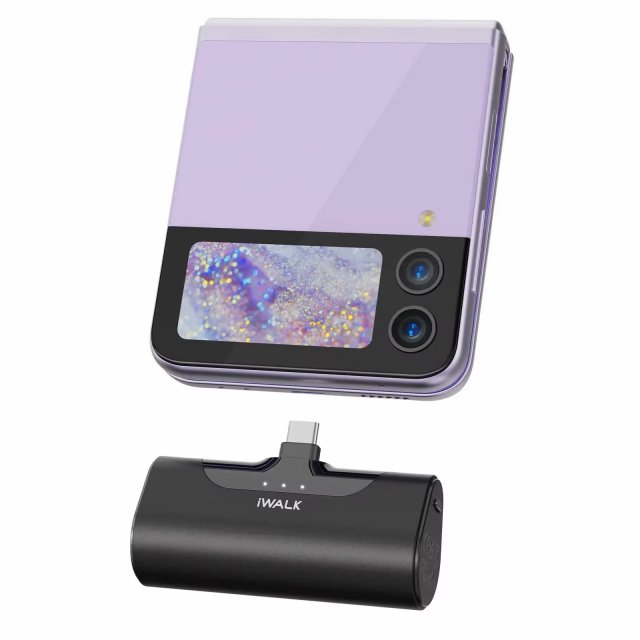
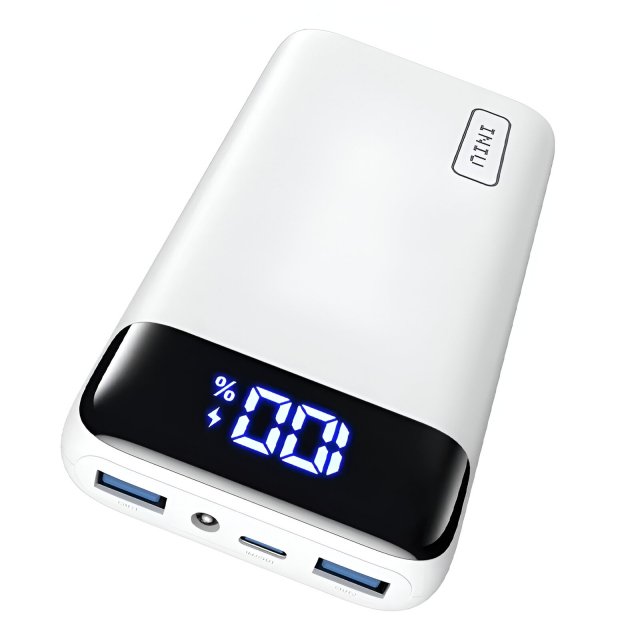

Useful Features That Make Picking a Power Bank Easier
A small battery indicator is more helpful than it sounds. Four LEDs are fine, but a percentage display makes it easier to know whether your charger has enough power for a full day. Pass‑through charging, which lets the power bank charge while charging another device, can reduce outlet clutter, though it may create extra heat and is not a feature to use constantly.
A low‑current mode is worth seeking out if you charge earbuds, fitness trackers, or other small accessories. Some power banks automatically shut off when a device draws very little power. Low‑current mode helps prevent that interruption.
Solar panels built into compact power banks are usually less practical than they appear. Their small surface area means charging from sunlight can take an exceptionally long time. For camping or emergency preparedness, a separate folding solar panel and a capable battery pack is generally the more useful setup.
How to Pick a Power Bank: A Simple Buying Decision
If you want one reliable recommendation framework, choose a 10,000mAh power bank with USB‑C input and output, at least 20W USB‑C PD charging, a clear battery indicator, and reputable safety protections. That combination suits most phones, work bags, commutes, and short trips without adding much bulk.
Move up to 20,000mAh with 30W to 65W USB‑C PD if you travel regularly, charge multiple devices, or need tablet and lightweight laptop support. Choose a smaller 5,000mAh or magnetic model only when portability is the priority and you mainly need a quick phone rescue.
The right power bank should disappear into your routine until the moment your battery bar turns red. Ultimately, how to pick a power bank comes down to buying for the day you actually have, not the most extreme scenario on the product page.

Need Alternatives to PO‑Store? Discover Amazon Best Sellers

INIU 10000mAh 45W Fast Charging Portable Charger, Smaller Travel Power Bank

BLAVOR Solar Power Bank 10,000mAh Portable Wireless Charger for Cell Phones



Pingback: Home Safety Checks That Make Daily Life Safer | PO‑STORE
Pingback: 12 Best Home Organizers for Small Spaces | PO‑STORE